
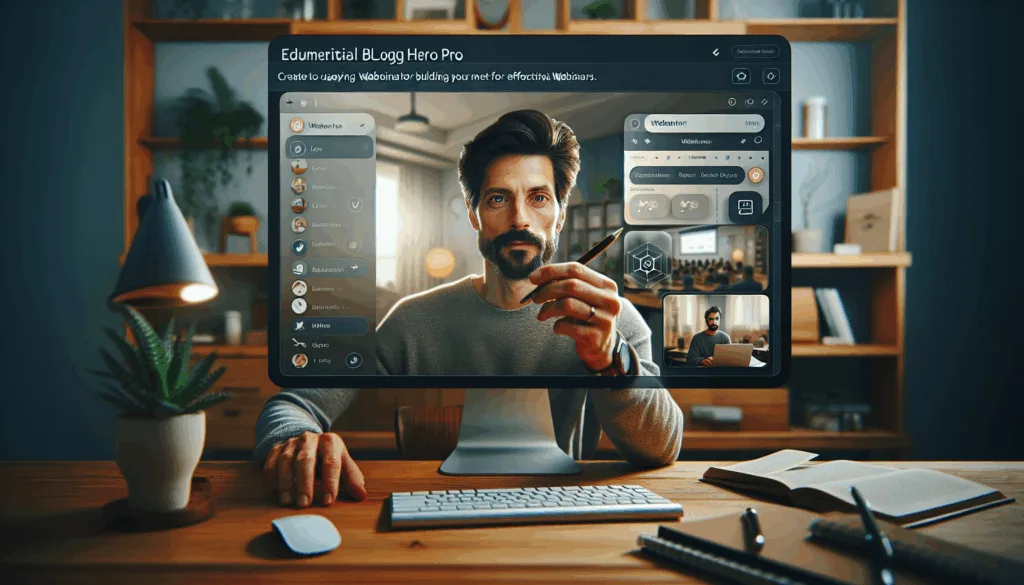
Overview of WebinarKit Live Pro
Introduction to WebinarKit Live Pro
WebinarKit Live Pro is a leading webinar platform designed for creating and managing live webinars with minimal hassle. Ideal for businesses, educators, and entrepreneurs, it combines ease of use with powerful features, making it a popular choice among professionals looking to engage large audiences online. The software simplifies the entire process, from setting up the event to interacting with participants in real time. Discover how WebinarKit Live Pro can streamline your webinars.
Developed by Stefan Ciancio and his team, WebinarKit Live Pro integrates technology with user-friendly interfaces to offer a seamless experience for both hosts and attendees. It stands out for its capability to cater to different levels of users, ranging from beginners to advanced marketers, thanks to its intuitive design and comprehensive feature set.
Key Benefits and Features
The capabilities of WebinarKit Live Pro go beyond the basics of standard webinar software. Among its most notable features is its AI-supported Q&A, which helps deliver more engaging and interactive sessions. This particular feature uses artificial intelligence to manage common queries and connect users with the right information instantly, reducing the workload on the presenter.
Another standout aspect is the integration of advanced sales and objection handling. This includes tools to automate follow-ups, capture leads, and effectively manage objections in real time, thus boosting conversion rates. Additionally, WebinarKit Live Pro provides seamless integration with other marketing tools and CRM systems, facilitating a unified approach to digital marketing efforts.
Target Audience and Use Cases
WebinarKit Live Pro is especially beneficial for course creators, coaches, and consultants who aim to reach broader audiences efficiently. The platform’s robust features make it ideal for educators who need to simulate classroom-like experiences for their online students. Similarly, coaches and consultants can use it to hold interactive sessions that keep clients engaged and informed.
SaaS (Software as a Service) businesses will also find WebinarKit Live Pro advantageous for conducting product demos, launching new features, and onboarding users via scheduled live webinars. Overall, the platform caters to a diverse range of industries and professionals looking to enhance their virtual communication and increase audience engagement. Explore WebinarKit Live Pro’s full features here.
Getting Started with WebinarKit Live Pro
Account Setup
Setting up your WebinarKit Live Pro account is the first step towards hosting successful webinars. The process is designed to be straightforward, catering to users of varying technical capabilities. Start by visiting the official WebinarKit website and choosing the appropriate plan based on your needs and budget. Once you’ve selected a plan, you will be prompted to create an account by providing basic information such as your email address and payment details.
After account creation, you’ll receive a confirmation email with an activation link. Click on the link to verify your email address and activate your account. This ensures you receive timely updates and notifications regarding your webinars and any software developments.
Navigating the Dashboard
Once your account is activated, logging into WebinarKit Live Pro opens up the user dashboard, which acts as your command center. Designed with simplicity in mind, the dashboard provides easy access to all the features you need to set up and manage webinars. Here, you can create new webinar events, schedule them, and access analytics on past events’ performances.
The dashboard’s left-hand navigation panel features clearly labeled tabs for creating webinars, setting up sales funnels, and accessing user support. These intuitive controls make it easy to navigate through different stages of your webinar planning and execution.
Initial Configuration Steps
After familiarizing yourself with the dashboard, it’s time to configure your settings. Begin by setting up your first webinar. Click on the ‘Create Webinar’ button and input basic details such as the webinar title, description, and scheduled time. This initial step sets the stage for organizing content and marketing flows.
You can then choose between live and automated webinar settings. With WebinarKit Live Pro, the transition between live hosting and automated sessions is seamless, allowing flexibility in how you engage your audience. Once your settings are configured, you may want to integrate third-party tools and software to enhance functionality. Under the integrations tab, connect your WebinarKit Live Pro account with popular platforms like CRM tools, email marketing apps, or analytics suites to extend your operational reach.
Finally, finalize your setup by conducting a test run to ensure everything functions smoothly. Testing includes checking audio and video quality, ensuring slides transition appropriately, and verifying that any interactive features perform as expected. Completing these steps prepares you for a successful webinar experience right from the get-go.
Exploring Key Features
WebinarKit Live Pro is designed to deliver robust and flexible features that cater to a variety of webinar hosting needs. Within a highly competitive market, understanding and leveraging these features can significantly enhance the effectiveness of your webinars. Here’s a closer look at some of the standout aspects that make WebinarKit Live Pro a preferred choice among professionals.
AI-Supported Q&A: One of the revolutionary features of WebinarKit Live Pro is its AI-supported Q&A functionality. This feature allows hosts to manage live interactions seamlessly by using artificial intelligence to handle routine queries and provide pre-recorded responses. This not only ensures that all questions are addressed efficiently but also frees the host to focus on engaging with the audience on more complex topics.
Sales and Objection Handling: The platform is optimized to boost your sales funnel. With built-in mechanisms to address customer objections in real-time, WebinarKit Live Pro ensures that your potential leads convert into customers. Interactive sales prompts can be integrated during the presentation, giving you the ability to handle objections as they arise.
Integration with Other Tools: WebinarKit Live Pro offers seamless integration with a wide range of third-party tools such as CRM systems, email marketing services, and analytics platforms. This compatibility is crucial for maintaining a coherent ecosystem where data flows smoothly between applications, helping you track performance and optimize future webinars.
Customizable Branding: Maintaining your brand’s identity is essential, and WebinarKit Live Pro provides extensive options to customize the webinar experience. From branded landing pages to themed registration processes, you can ensure every element aligns with your brand aesthetics.
On-Demand and Recorded Webinars: In addition to live webinars, WebinarKit Live Pro allows you to create and share on-demand or recorded webinars. This feature is particularly valuable for reaching audiences across different time zones or those unable to attend the live session.
These features, among others, make WebinarKit Live Pro a tool that not only meets but exceeds expectations for businesses seeking to enhance their webinar hosting capabilities. Whether it’s through enhanced interactivity, improved sales processes, or seamless integrations, this platform empowers hosts to create engaging and effective webinar experiences.
Use Cases and Workflows
Understanding how WebinarKit Live Pro can be applied to various business models is crucial for maximizing its potential. By exploring specific use cases and workflows, you can tailor the tool to meet your specific needs effectively. Here are some ways different professionals can leverage WebinarKit Live Pro.
For Course Creators: WebinarKit Live Pro offers course creators the ability to host engaging live online classes. With features like screen sharing and interactive whiteboards, educators can replicate the classroom experience digitally. Additionally, the platform’s recording capabilities allow you to create an on-demand library, providing students the flexibility to learn at their own pace.
For Coaches and Consultants: Coaches and consultants can enhance their services by hosting live coaching webinars. The platform’s AI-supported features can handle routine inquiries, allowing coaches to focus on delivering personalized advice. Moreover, the ability to integrate with CRM tools ensures you can track client progress and manage relationships effectively.
For SaaS Businesses: SaaS companies can utilize WebinarKit Live Pro to host product demos, customer onboarding sessions, and training workshops. The real-time engagement tools enable these businesses to interact with potential customers directly, addressing questions and demonstrating product value. The ability to integrate with analytics tools also helps in gauging audience engagement and refining future presentations.
Non-Profit Organizations: For non-profit organizations, webinars can be a way to reach a broader audience to spread awareness and drive fundraising efforts. WebinarKit Live Pro’s interactive features engage audiences, while its sales tools can be repurposed for donation pitches.
By aligning WebinarKit Live Pro’s functionalities with specific industry needs, professionals across various sectors can improve their webinar experiences, drive audience engagement, and ultimately achieve better outcomes. The adaptability and extensive feature set of WebinarKit Live Pro make it an invaluable tool in the modern digital landscape.
Troubleshooting Common Issues
When using any platform, especially a feature-rich one like WebinarKit Live Pro, encountering technical difficulties or user errors is not uncommon. Understanding how to troubleshoot these is crucial for maintaining hassle-free webinar experiences.
Technical Support Options
Utilizing available technical support options is often the fastest route to resolving challenges. WebinarKit Live Pro offers extensive support resources, including live chat, email support, and a comprehensive knowledge base. The responsive support team is well-equipped to handle a wide array of issues, from simple configuration questions to more complex technical difficulties. Furthermore, their comprehensive tutorials cover a broad spectrum of topics tailored to both newcomers and seasoned users.
Common User Errors
Despite its user-friendly design, new users might encounter hiccups due to configuration errors. A common error is not optimizing browser settings, which might lead to presentation glitches. Always ensure your browser is updated and that any required plugins are installed. Another frequent mistake is misunderstanding the setup of automated functionalities, such as setting the correct parameters for AI-driven engagement features or incorrectly inputting integrations. Taking time to revisit the setup tutorials or the initial configuration guides can help avoid such issues.
FAQs
The FAQ section is particularly useful for quick-reference queries, covering troubleshooting and feature usage extensively. Questions like ‘What if my webinar experiences lag?’, ‘How do I ensure my integrations function correctly?’, and ‘What are the best browsers for WebinarKit Live Pro?’ are addressed in detail. Leveraging FAQs can preemptively solve issues, saving time and elevating user experience as you learn to navigate the complex yet rewarding ecosystem of WebinarKit Live Pro.
Conclusion
WebinarKit Live Pro stands out as a robust option for hosting effective, engaging webinars. Its well-thought-out features, such as AI-supported Q&A and seamless integrations, cater to a diverse set of users, from course creators to SaaS businesses. The platform’s competitive pricing, paired with its intuitive interface and robust support system, makes it a practical choice for professionals looking to maximize the impact of their webinars.
As with any tool, there can be challenges, but WebinarKit Live Pro’s comprehensive support and resources, including a responsive support team and detailed FAQs, empower users to troubleshoot effectively. Its flexible pricing models and the potential for integration with other platforms provide excellent value for money, securing its position as an invaluable asset in your digital marketing toolkit.
If you are aspiring to elevate your webinar presentations and explore the advantages of AI-enhanced functionality, consider taking the next step with WebinarKit Live Pro. Get started today and transform your webinars into powerful engagement and conversion tools.
About Stefan Ciancio
Stefan Ciancio, the developer behind WebinarKit Live Pro, continues to contribute to the field of digital marketing with innovative solutions. Through his work, he seeks to provide tools that are both powerful and accessible to everyone, enhancing how professionals engage with their audiences.


